


You probably know where your biggest assets are. It is the mid-tier stuff that quietly disappears: the laptop checked out to a contractor who left six months ago, the scanner that gets blamed on three different departments, the piece of field equipment that never made it back from the last job site. That kind of loss rarely shows up as a single dramatic event. It accumulates, invisibly, until someone runs a physical count and the numbers look nothing like the spreadsheet.
That is the problem asset tracking software exists to solve. Not just locating things, though that matters too. The real job is creating a reliable record of what you own, where it is, who has it, and what condition it is in, so that decisions about purchasing, maintenance, and deployment are based on facts rather than assumptions.
This guide will walk you through what to look for, what to watch out for, and how to size up the options without getting lost in feature lists.
What Asset Tracking Software Actually Does
At its core, every system in this category does three things. It creates a record for each asset, it logs changes to that record over time, and it gives you a way to query that data when you need it. Everything else, mobile apps, RFID scanning, depreciation reports, GPS integration, is built on top of that foundation.
Where systems diverge is in how they handle the physical side of tracking. Some rely entirely on manual entry: a user scans a barcode or QR code and updates the record themselves. Others use passive RFID (radio frequency identification), where tagged assets are detected automatically when they pass a reader. A smaller number support GPS or real-time location tracking, which is more relevant for vehicles, heavy equipment, or assets that move between sites constantly.
Understanding which physical tracking model fits your operation is the single most important decision you will make before you start comparing products. If most of your assets are stationary or move infrequently, basic barcode scanning may be all you need. If you are managing a fleet, a construction yard, or a large campus with hundreds of mobile items, the passive barcode model will create more data-entry work than it solves.
The Features Worth Paying Attention To
Check-out and check-in workflows
For organizations that lend, assign, or deploy assets to individuals, the check-out workflow is where daily value is made or lost. A good system makes it fast to assign an item, captures who has it and until when, and sends a reminder when it is overdue. A poor one adds friction to every transaction, and staff find workarounds that quietly defeat the whole point.
Asset Panda has built a reputation for flexible check-out workflows, including mobile-first interfaces that field teams can realistically use without training sessions. For organizations where assets move frequently and the people handling them are not desk-based, that kind of usability consideration matters more than the depth of the reporting suite.
Audit and verification tools
Scheduled audits, where someone physically verifies that an asset is where the system says it is, are how tracking accuracy is maintained over time. Look for software that can generate an audit list, let a user work through it on a mobile device, and flag discrepancies for review. Some systems also support ghost asset identification, locating records for items that no longer physically exist, which is useful during depreciation reviews and insurance renewals.
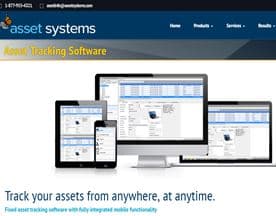
ASAP Systems covers both inventory and asset tracking in a single platform, which can simplify audits for organizations managing both consumable stock and fixed assets at the same time.
Maintenance scheduling
For equipment-heavy businesses, the ability to schedule and record maintenance is often the difference between a tracking tool and a genuinely operational one. You want to be able to set recurring maintenance intervals, record what was done and by whom, and see which items are overdue. This is particularly relevant in healthcare, construction, and facilities management, where maintenance records have compliance as well as operational implications.
AssetFinda is built around the lifecycle management of physical assets and places maintenance tracking closer to the center of its feature set, rather than treating it as an add-on.
Reporting and depreciation
Finance teams often have a parallel interest in asset data, specifically the ability to calculate depreciation, produce reports for audits, and reconcile physical assets against accounting records. Not every asset tracking product handles this well. Some are strong on operational tracking and thin on financial reporting. If the finance team is a key stakeholder in the buying decision, check this specifically, rather than assuming it is covered.
What to Watch Out For During Evaluation
Implementation complexity gets underestimated. The import process for existing asset data, particularly if it lives in spreadsheets with inconsistent naming and missing fields, is almost always harder than the vendor's onboarding materials suggest. Ask specifically how they handle data migration, and whether there is hands-on support for it, not just documentation.
Tagging infrastructure is a real cost. Software is only part of the story. Barcode labels, RFID tags, and readers are physical costs that vary significantly depending on your asset types and environment. Some vendors, including gigatrak, supply hardware alongside software and can bundle the two, which simplifies procurement but means you are committed to one vendor's ecosystem.
User adoption is where most implementations quietly fail. The most capable system is worthless if the people doing daily check-outs do not use it consistently. Evaluate the mobile experience with the actual users in mind, not just the administrator interface. Run a pilot with a representative group before rolling out across the organization.
Scalability assumptions need testing. A system that works well for a few hundred assets may slow down, become expensive, or lack features when you hit a few thousand. Ask vendors about pricing at higher asset counts and check whether the features you need are available on the tier you can afford.




How to Structure Your Decision
Start with your primary use case, then layer in secondary requirements. If physical location is critical, prioritize GPS or RFID capability. If financial reporting is the driver, prioritize depreciation tools. If daily operational tracking is the goal, prioritize the check-out workflow and mobile usability.
AssetPulse LLC takes an RFID-first approach that suits organizations where speed and automation of the physical tracking process are higher priorities than cost per tag.
Once you have shortlisted two or three systems, run a structured pilot with real assets and real users. Define what success looks like before you start, whether that is audit accuracy, time saved on check-outs, or a reduction in unlocated items, and measure against it. A pilot that lacks defined success criteria is just a free trial dressed up as evaluation.
The right system is the one your team will actually use six months after deployment. All the capability in the world does not matter if the friction of daily use drives people back to their spreadsheets.


