


You don't run a church the way you run a business, but you do face many of the same operational headaches. Attendance tracking, giving records, event coordination, pastoral follow-up, volunteer scheduling — all of it needs to happen reliably, often with a small staff and a large volunteer base. The wrong software adds friction to every one of those tasks. The right software makes them nearly invisible. Knowing how to tell the difference before you buy is the whole point of this guide.
Why Church Software Is Its Own Category
Generic tools — a shared spreadsheet here, a payment processor there, a mass email service on top — can limp along for a while. Most congregations outgrow that patchwork well before they realize it. When giving records don't connect to member profiles, when event sign-ups live in a different system from attendance, when your pastoral care notes are scattered across three inboxes, things fall through the cracks. Those cracks tend to open up precisely when a family is going through something difficult and needs a timely response.
Church management software was purpose-built to hold all of that together in one place. The category sits at the intersection of nonprofit financial management, membership coordination, and community communication. That combination is unusual enough that general-purpose CRMs or nonprofit platforms rarely serve it well without significant customization.
The Core Capabilities to Evaluate
Before you compare vendors, get clear on which capabilities your congregation genuinely needs versus which ones look appealing in a demo but won't get used.
Member and Household Records
The foundation of any church management platform is a reliable people database. You need to track individuals and their household relationships, contact details, life events (baptisms, marriages, memberships), small group participation, and serving history. The quality of this record-keeping shapes everything downstream. If the database is clunky to update, your data will quickly drift out of date, and all the reports built on top of it will mislead you.
Giving and Donation Management
Financial stewardship is sensitive work. Your platform needs to handle one-time gifts, recurring giving, fund designation, and year-end giving statements — and it needs to do all of that in a way your finance team can audit cleanly. Some congregations also want online and mobile giving built into the same system rather than bolted on from a separate processor. DonateMo focuses specifically on this side of the equation, which is worth understanding if donation processing is your primary pain point. For congregations where the accounting layer matters as much as the giving capture, Aplos Software covers both fund accounting and member management in one platform, which can simplify your software stack considerably.
Attendance and Check-In
Tracking who attends services, classes, or events sounds simple until you try to do it at scale across multiple campuses or service times. Look for a system that supports self-check-in kiosks or mobile check-in, produces secure child check-in labels, and feeds attendance data back into member records automatically. A platform that makes you reconcile attendance data manually after every service will quietly drain volunteer time.
Communication Tools
Internal and external communication needs vary widely. Some congregations need broadcast email and SMS. Others need a directory app that members can update themselves. Still others prioritize pastoral care workflows where a staff member can log a visit or a phone call against a household record. ChMeetings leans into the communication and group coordination side, which suits congregations where staying connected with members between Sundays is the primary challenge.
Reporting and Dashboards
Leadership teams need visibility. Giving trends, attendance patterns, volunteer engagement rates, first-time visitor follow-up status — these are the numbers that tell you whether the ministry is healthy and growing. If a platform's reporting requires you to export to a spreadsheet every time you want a useful view, factor that friction into your evaluation.
Questions That Reveal the Real Differences
Vendor demos are designed to impress. The features that are hardest to demo well — data migration, support quality, long-term data ownership, and integration with your existing tools — are often the ones that matter most once you are live.
Ask these questions directly:
- How does data migration work if we are moving from another system? Who does the work, and what does it cost?
- What does your support model look like? Is there a phone number, or is it ticket-based?
- If we decide to leave, can we export all of our data in a usable format?
- How often does the platform update, and how are changes communicated to administrators?
Longer-established providers like Shelby Systems and ACS Technologies have been serving congregations for decades, which means deep feature sets and large support infrastructures. That depth can be an advantage for larger or more complex organizations. It can also mean steeper learning curves and legacy interface conventions that feel unfamiliar to younger staff. Neither is a disqualifier — it is just something to weigh honestly against your team's technical comfort.
Deployment and Implementation Reality
Cloud-based platforms have become the default for most congregations because they eliminate server maintenance and make remote access straightforward. But implementation still takes real effort. Budget time for data migration, staff training, and a parallel-run period where you verify the new system before you decommission the old one.
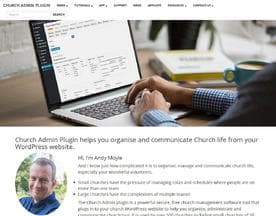
Smaller congregations with tighter budgets sometimes prefer lighter-weight tools. Church Admin Plugin works within existing WordPress infrastructure, which can make deployment faster if your website is already on that platform. That kind of fit-to-existing-environment thinking often matters more than chasing the most feature-complete product on the market.






Making the Final Call
The best church management platform for your congregation is the one your actual team will use consistently. A system with every feature imaginable, sitting at 40 percent adoption six months after launch, delivers far less value than a simpler platform that your office manager, your giving coordinator, and your volunteer team have genuinely embraced.
Narrow your shortlist to two or three options that cover your must-have capabilities, then run a structured pilot with real data and real users before you commit. The goal is not to find the most impressive software. The goal is to find the one that makes your people feel supported rather than burdened. That distinction is worth every hour you spend in the evaluation.


