


Running a repair shop means managing a lot of moving pieces at once. You have technicians waiting on parts, customers waiting on estimates, invoices that need to go out, and a front desk trying to hold everything together. Most shops reach for auto repair software at the point when the chaos becomes genuinely costly, which is often later than ideal. But choosing the wrong platform at that moment can make things worse, not better. This guide helps you understand what actually matters when evaluating your options.
The Problem With Generic Business Software
A lot of shop owners try to patch together the problem with tools built for other industries. Accounting software handles invoices. A spreadsheet tracks jobs. A group chat handles technician assignments. It works until it doesn't, and it usually stops working at the worst possible moment, like when you're trying to scale, hire more technicians, or just stop losing money to disorganized estimates.
Auto repair is a specific operational environment. You are dealing with vehicle identification numbers (VINs), parts sourcing, labor time calculations, multi-bay scheduling, warranty tracking, and customer communication that spans days rather than hours. Generic business tools are not built around any of those realities. Software designed specifically for repair shops is.
The question is not whether you need purpose-built software. The question is which one fits how your shop actually runs.
Core Features Worth Paying For
Not all auto repair platforms are built equally, and the feature list can get long fast. Here is how to cut through it.
Work Order Management
A work order is the operational heartbeat of your shop. It connects the customer's concern to the technician's diagnosis, the parts order, and the final invoice. Any platform you consider should make work orders fast to create, easy to update, and impossible to lose. Look for the ability to convert estimates directly to work orders and work orders directly to invoices without re-entering information. Rekeying data is a quiet drain on time and a reliable source of billing errors.
Scheduling and Technician Assignment
Bay scheduling sounds simple. In practice, it requires you to match the right technician skill to the right job, account for parts availability, and give customers realistic completion estimates. Platforms that show technician availability in real time, and let you drag and drop assignments as things change, are worth the extra investment over systems where scheduling is essentially a shared calendar with notes.
Digital Vehicle Inspections
Digital vehicle inspections (DVIs) allow technicians to document findings with photos and notes, then share those findings directly with the customer. This single feature tends to increase approved repair revenue per vehicle because customers can see the problem rather than just hear about it. If upsells feel uncomfortable for your team, DVIs reduce that friction significantly. Platforms like AutoLeap and CarServ have built their workflows around this kind of customer-facing transparency.
Parts and Inventory Management
Parts are where shops bleed margin without realizing it. Software that integrates with your preferred suppliers, tracks what you have on the shelf, flags what needs ordering, and ties parts costs directly to work orders will pay for itself faster than almost any other feature. If you are still manually reconciling parts invoices against your own records at month end, this is the area to prioritize.
Customer Communication
Automated appointment reminders, job status updates, and follow-up messages are table stakes at this point. Your customers expect them, and the shops competing for their loyalty are already sending them. The more useful question is whether the platform allows two-way messaging, so customers can respond and you do not have to chase them by phone to get approvals.
What To Watch for in the Evaluation Process
Understand the real total cost
Licensing fees are only part of the story. Implementation time, staff training, data migration, and ongoing support costs all add up. A platform that looks affordable at the monthly subscription level can become expensive if your team needs weeks to get productive on it, or if support is slow when something breaks. Ask vendors directly how long a typical shop takes to get fully operational, and talk to shops of a similar size if you can.
Check integration depth, not just integration lists
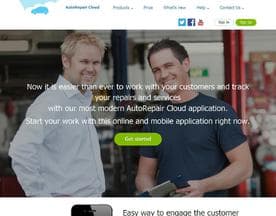
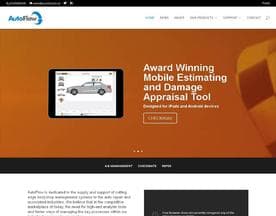
Most platforms will tell you they integrate with everything. What matters is how deep those integrations go. Does it pull parts pricing live, or does it just import a static catalog? Does it sync with your accounting platform in both directions, or only one? AutoRepair Cloud and AutoFlow are examples of platforms where integration depth varies by market and version, so it pays to test your specific workflows during a trial rather than taking the feature matrix at face value.
Evaluate for the shop you are becoming, not the shop you are today
This one trips up a lot of buyers. You evaluate software based on your current operation, then grow into a situation where the platform is a constraint rather than a help. Think about whether you plan to add bays, hire more technicians, or open a second location in the next few years. Make sure the platform can scale with you without requiring a full migration.
Specialization Matters More Than You Think
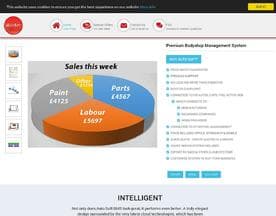
There is a meaningful difference between software built for general repair shops and software built for specific contexts, like collision repair, fleet servicing, or commercial vehicle maintenance. CCC Information Services is an example of a platform oriented toward collision and insurance workflows, which involves estimating conventions and approval processes that are entirely different from a standard service and repair environment. If your shop operates in a niche, generalist platforms may technically support your workflows while making them harder than they need to be.
Know your niche before you start evaluating, and filter your shortlist accordingly.



A Practical Approach to Shortlisting
Start by writing down your three biggest operational headaches right now. Not the features you think you want, but the problems you are actually losing time or money to each week. Then evaluate platforms against those specific pain points. A platform that solves your top three problems competently will deliver more value than a platform that offers thirty features you will never touch.
Run a real trial with actual jobs, real customer names removed if necessary, and the technicians who will use it every day. Software that looks good in a demo often reveals friction the moment your front desk staff tries to use it under actual shop conditions. Let them tell you what works before you sign a contract.
The best platform for your shop is the one your team uses consistently. Everything else follows from that.


