What is PDF Technologies?
Join the 60M users who are already working with PDF Reader Pro on their devices for Reading, Editing, Annotating, Form Fill, Converting, Creating, OCR, and signing PDFs. We also offer free Trial and education discount versions, welcome to try. PDF Reader Pro is a PDF powerhouse that will fulfill all your document needs. Building on solid features such as Annotation, Edit, Form filling, OCR, Convert, Create, Sign, Bookmark and protect your PDF files, PDF Reader Pro allows you to maneuver through your PDF files. PDF Reader Pro Edition offers even more - merge and combine multiple documents, split your PDF into several files, insert pages from another PDF, Convert PDF to Word and any other Microsoft Office® formats. Carry just your PDFs and make your presentations with them under the Presentation Mode, work becomes effortless and more productive with lighter PDFs! PDF Reader for Expert is your last PDF application you would ever need. READ · Reading modes - Multi-tab viewing, full-screen, page-fit, horizontal or vertical orientation, auto scroll · Presentation - Slideshow Mode to present your PDF as PPT · Night mode - Night mode supported for long time reading to comfort eyes · Create, Edit and Search outlines to easily navigate through the whole file · Bookmark specific pages or sections of PDFs ANNOTATE ·Classic tools - Annotate and mark up PDF with highlight, underline, strikethrough, freehand, text box, anchored note, rect, circle, shape and etc ·Continuous Annotations - Add Comments Continuously ·Sign - Create multiple signatures for any situations with trackpad, keyboard or images ·Stamps - Customize your PDF with custom, image and dynamic stamps ·Link - Add hyperlinks to redirect other destinations, and edit your links as you like ·Table - A table consists of rows and columns of cells. You can add header and footer rows when you create the table Fill FORMS · Create & Edit Forms. Create fillable PDF Forms from interactive field objects, such as buttons, check boxes, radio buttons, list boxes, and drop-down lists · Fill out any PDF forms. Work with static PDF forms created in Adobe Acrobat Converter · Export from PDF to Microsoft Word (.docx), PowerPoint (.pptx), Excel (.xlsx), RTF, HTML, Text, Image, CSV, and more Offline · Convert to PDF from images imported from Scanner and TXT files PAGE EDITOR · Merge & Split - Split documents into multiple documents or combine multiple pages into a new single, searchable PDF · Extract - Extract the desired pages to create a new PDF · Append - Insert another file (entire files or specific page ranges) into the existing file · Rotate, delete, replace, and crop pages PDFS EDITING · Watermark - Add fantastic watermarks to keep your documents safe and professional. · Header & Footer - Label each page of your PDF document with fully customized page numbers. Change anything desired: font type, size, color and position in the bundle. · Bates number - Identify and retrieve information from your legal documents. Add a unique prefix or suffix which can be a set number, case number, firm name or date. · Background - Change the background (color or image) of the PDFs to comfort your eyes after long-time reading. · Flatten - Flatten PDF to make the contents static. · Booklet - Booklet puts your pages side by side re-sorted for booklet printing, no matter what printer you have. · Poster - Poster divide large PDF page(s) into multiple smaller Pages. · Multiple - You can print more than one page of a PDF on a single sheet of paper. OCR · Convert scanned PDF files or pictures into editable and searchable PDFs or TXT files. 50+ languages supported! · OCR helps extract texts from scanned PDF forms or images. SECURE FILES · You can also password protect sensitive documents and authorization to edit, copy, modify or print PDFs COMPRESS ·Reduce PDF size to make your documents much lighter LISTEN (Text-to-Speech) · Ever feel tired of reading large files? Try Text-to-Speech(TTS) and let PDF Reader Pro Edition read the doc to you with 40+ different languages SHARE · Upload files to Dropbox, iCloud Drive with one click Have any feedback, comments or issues? Please contact us directly at support@pdfreaderpro.com https://www.pdfreaderpro.com https://www.pdfreaderpro.com/product https://itunes.apple.com/us/app/pdf-reader-pro-lite-edition/id919472673?mt=12
Alternatives to PDF Technologies
 DocStarSpotlightTransition From Drowning in Paper to Streamlined Digital Efficiency. Helping businesses translate vision into action for more… Learn more about DocStar.
 InterfacingSpotlightInterfacing Technologies Corporation is a global leader in digital transformation solutions, specializing in innovative… Learn more about Interfacing.
 DynaFileDynaFile is an electronic employee filing system tailored for human resource departments. With cloud document management… Learn more about DynaFile.
 M-FilesM-Files delivers Context-First Document Management with an AI-native, metadata-driven architecture that eliminates information… Learn more about M-Files.
 FileCenterFileCenter is a simple, affordable document management, scanning, and PDF software solution for both home and office use. It… Learn more about FileCenter.
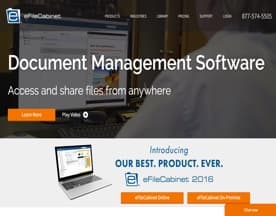 eFileCabinetTake control of tedious and repetitive manual processes with powerful, but simple workflow automation. With Rubex by… Learn more about eFileCabinet.
 DGLegacyDGLegacy enables people in the USA, the EU, and other countries across the globe to protect their digital, financial, and… Learn more about DGLegacy.
 FlowshareFlowShare is a one-of-a-kind documentation tool that runs in the background, automatically documenting every action you take… Learn more about Flowshare.
 FutureVaultFutureVault is an industry-leading provider of secure, cloud-based document management solutions that helps organizations, and… Learn more about FutureVault.
 FileHoldAffordable document management software from FileHold Systems is the fast track to the “Paperless Office”. FileHold document… Learn more about FileHold.
PDF Technologies Reviews (1)
- ★★★★★1
- ★★★★★0
- ★★★★★0
- ★★★★★0
- ★★★★★0
Review Summary
Generated using AI from real user reviews
PDF Reader Pro earns strong marks for ease of use and format flexibility. The tool is praised for making PDF editing feel as straightforward as working in Word, and users value its ability to convert PDFs to Office formats quickly. The product's track record—cited as recommended by millions—suggests broad appeal and reliability for straightforward editing and conversion tasks.
Note: This summary is based on a single 5-star review and represents only one user's perspective. A fuller picture would benefit from additional reviews.
★★★★★
Wednesday, March 2, 2022
“As a PDF editor tool recommended by 90 million users,…”
As a PDF editor tool recommended by 90 million users, PDF Reader Pro enables editing PDF documents just as easily as you would in Word documents. Besides, you can even convert your PDF document into any Office format you want.