ServiceBox Software
★★★★★ 4.9 · 11 Reviews
What is ServiceBox Software?
ServiceBox is a leader in Field Service Management. No matter what industry you work in, ServiceBox’s software and app can help you run a more efficient business and increase your bottom line. ServiceBox was originally designed for the Plumbing and Heating (HVAC) industry, but over the years it has grown to become a full feature software for service companies of all industries. This includes electrical contractors, HVAC contractors, plumbing contractors, duct cleaning companies, security companies, water treatment companies, industrial maintenance companies, heavy-duty mechanics, pest control companies, roofing contractors, handyman services, and carpenters. ServiceBox allows these companies to manage their business workflow of Quoting, Work Orders, Scheduling, Maintenance, Invoicing, Payments, Timesheets, and Accounting Integration. WOW YOUR CUSTOMERS: Our Customer Information Management Software allows you to create a great customer experience that will increase your repeat business. STREAMLINE YOUR WORKFLOW MANAGEMENT: ServiceBox is a powerful cloud-based job management software system designed to streamline and track all processes from the initial quote, through to final invoicing. TIME TRACK WITH EASE: Record labour on the go, your field team can simply track their time on the job from their phone or device, and the data flows through to their timesheet. GET PAID FASTER: Create quotes and invoices quickly and send them to your customers instantly. You can even sync with your account software QuickBooks, QuickBooks Online, and Sage 50. MAXIMIZE EFFICIENCY : Say goodbye to paper-shuffling between teams, wasted admin hours, and time-consuming paper schedules. With ServiceBox you’ll be able to maximize your billable hours, minimize risks such as missed invoices and enhance customer service opportunities.
Alternatives to ServiceBox Software
 Housecall ProSpotlightHousecall Pro is the most advanced field service management platform and CRM tool on the market. The app is offered at a… Learn more about Housecall Pro.
 NewWaySERVICE.comSpotlightNewWaySERVICE.com develops and market a field service management software offered as a SaaS model. Established in 1996, we… Learn more about NewWaySERVICE.com.
 Service FusionSpotlightService Fusion helps service companies impress customers, reduce employee headaches, and get paid faster, without breaking the… Learn more about Service Fusion.
 FeetPortFeetport is a Field Force Automation Software which enables an organization to manage, track and analyze the working of their… Learn more about FeetPort.
 FieldMotionFieldmotion is an easy-to-use cloud-based digital platform that allows field workers to capture information on jobs in… Learn more about FieldMotion.
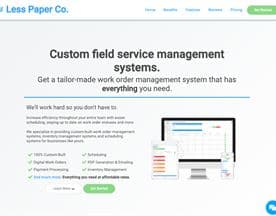 Less Paper Co.Less Paper Co. creates custom-built field service management, work order management and scheduling systems to help field service… Learn more about Less Paper Co..
 JobberAward-winning job tracking and customer management software for home service businesses. Jobber’s 100k+ home service… Learn more about Jobber.
 Call of ServiceCall of Service provides the latest Field Service management software. Specifically designed for ease of use, our cloud-based… Learn more about Call of Service.
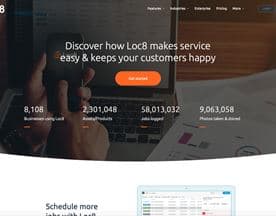 Loc8User-friendly, intuitive and free, Lite provides a level of expertise absolutely vital for small service businesses. This… Learn more about Loc8.
 Eworks ManagerEworks Manager is the perfect software for companies with technicians out in the field. Our Job Management System allows you to… Learn more about Eworks Manager.
ServiceBox Software Reviews (11)
- ★★★★★10
- ★★★★★1
- ★★★★★0
- ★★★★★0
- ★★★★★0
Review Summary
Generated using AI from real user reviews
ServiceBox is a consistently well-regarded field service management platform with strong fundamentals around user experience and accounting integration. Users across the board praise its ease of use, reliable customer support, and ability to streamline workflows—particularly the seamless links to accounting software like QuickBooks and the elimination of paperwork through field invoicing and photo attachment capabilities.
The platform earns consistent appreciation for enabling teams to work more efficiently and flexibly, with technicians accessing information from the field and office staff handling dispatch better. Users highlight improved productivity, faster invoicing, and the value of having all customer history in one place. Customization options and quick onboarding also get repeated mention as strengths.
However, some friction points emerge. A few users flag the materials entry process as tedious for larger jobs, requiring repetitive scrolling. The search function for past invoices and work orders can be inconsistent, and one user noted that unsaved work orders disappear without a reminder. One reviewer felt the software included more features than their small business needed, and another wanted better visual cues (like tooltips) within the interface. One user also mentioned the lack of a mobile application at the time of review.
Overall, the feedback is overwhelmingly positive, with nearly all reviewers reaching 5 stars and noting measurable business improvements.
★★★★★
Thursday, July 29, 2021
“Have had this system for a bit over a year…”
Have had this system for a bit over a year now. Cost of the product. Speed of the access for our techs out doing calls. The time card links work great. The tech support has been top notch. The ability to customize customers Pros: How it links up to our accounting software. The time card link has proved to pay for itself. We have noticed an increase in employee productivity. Support is very quick and actually being able to speak to a real person right away. Cons: Every few months I have to go in and clean up the materials list. As it is a learning system if a user spells something different then another it logs this in. On the quoting side. I would like to see a template to speed up the time for standard estimates.
★★★★★
Thursday, July 29, 2021
“One of the best web based apps I've used! To…”
One of the best web based apps I've used! To start it off, Service box is super easy to use. User-friendly layout and great customer support. I use Service box every single day to keep track of my appointments, etc. the ability to attach photos so quickly and flawlessly makes this app above and beyond compared to others. Recommend to all businesses.
★★★★★
Thursday, July 29, 2021
“Service Box Platform is Excellent! The Service Box platform has…”
Service Box Platform is Excellent! The Service Box platform has been excellent in stream lining our companies performance. It has given us the ability to be far more flexible and efficient in our approach to service work providing both our customers and us substantial time savings. There has been enormous benefits in all aspects of how we manage our company and its work flow, the primary one being able to access any company information at any point in time from anywhere. The system it self is easy to train staff with and is not bulky and overwhelming like others on the market. I feel this product would be an asset to any service orientated company.
★★★★★
Thursday, July 29, 2021
“I like it! Wish we had gotten it sooner! Pros:…”
I like it! Wish we had gotten it sooner! Pros: What I really like about this service is the connectivity - all our service techs and office personnel are connected and can schedule work and see what needs to be done. Also it cuts down on paper work as we can invoice directly from the field. Cons: It is really larger and more complicated than we need! We are only using a small portion of it's capability.
★★★★★
Thursday, July 29, 2021
“**CUSTOMER SERVICE 10+ STARS! Pros: Our HVAC company implemented ServiceBox,…”
**CUSTOMER SERVICE 10+ STARS! Pros: Our HVAC company implemented ServiceBox, due to the features offered, but mainly because of the customer service. I naturally expected that once we signed up the help would fade away, but that was not the case whatsoever. The team at ServiceBox work hard, and are diligent at following up with a call, email or text within a very short amount of time, if not immediately. It is obvious that they work well together, as they each have their own assets they bring to the table. In addition, ServiceBox is flexible and customizable, with a clean, easy to view and understand the User Interface. Cons: No Application as of yet. Once the application is finished, it will be a top notch program for sure.
★★★★★
Thursday, July 29, 2021
“Best service software on the market! Our company tried a…”
Best service software on the market! Our company tried a few different service software programs and couldn't find one that fit our business needs. With Servicebox having such great flexibility we were able to customize the program and reports to our specific needs. Also, the onboarding and tech support from Servicebox was great with them giving as much time as needed to get you operating comfortably. Strongly recommend the program. Pros: Very user friendly for both office staff and technicians. Many great features such as the ability to customize reports, add photo's, and integrate with existing accounting softwares. Very easy for techs in the field to learn the app. Significantly reduced dispatching and invoicing workload. Cons: Search function is somewhat inconsistent when looking for past invoices or work orders. Also, if you leave a work order without hitting the save button it deletes it and you have to do it over again. A save reminder would be nice for field techs using the
★★★★★
Thursday, July 29, 2021
“Great software for small service business We love the product,…”
Great software for small service business We love the product, it has helped move our business to the next level. We are able to invoice our customers faster as our technicians can close the job onsite. We know where our technicians are and we are able to dispatch more efficiently. Pros: On big plus is entering each service as they are called in, tracking. It has made our business more efficient. As well it is easier to look up past jobs and determine best course of action with notes and pictures attached. It is excellent that it links to our accounting software so seamlessly which is another great feature. Cons: The software is great, I guess if I have a comment I would like to see a bit more interaction on the site such as when you hover the mouse over an icon i would like It to tell the user what that icon does.
★★★★★
Thursday, July 29, 2021
“ServiceBox is a Great Tool and Syncs with Quickbooks well…”
ServiceBox is a Great Tool and Syncs with Quickbooks well I have been using ServiceBox for about a year now. It was hard to believe that a software would make my job that much easier but once I finally trusted the system I was very happy that we made the decision to go ahead. I was nervous the first time I had to do a sync with Quickbooks but it has made our business run so much smoother. Pros: After trying a few different processes, we finally tried ServiceBox and moved to a paperless system. We are able to e-mail all invoices to our clients and between this and the techs having access to everything in the field, we have saved large amounts of time. Now there is no dual entry for invoices. It is a brilliant thing to have techs using the system too, communication between everyone is greatly improved Cons: It would be nice to have a couple of the reports available in Excel not just PDF
★★★★★
Thursday, July 29, 2021
“Excellent program! Really user friendly. Excellent support. Very customizable compared…”
Excellent program! Really user friendly. Excellent support. Very customizable compared to other programs we have used. The ability to sync with our accounting program is invaluable.
★★★★★
Thursday, July 29, 2021
“Amazing System! Our business has grown over the past few…”
Amazing System! Our business has grown over the past few years and we were finding it hard to keep our customer records organized, and were falling behind on sales. We searched for weeks for a CRM / Service Industry type software solution and once we came upon Service Box, we knew this was the fit for our business. Since implementing it in our business, our sales and admin team have saved countless hours of time thanks to Service Box. Pros: Organization of customers, contacts, invoices, quotes, etc. All the customer's information is in one spot, and there is a full history of your communications with them for easy future reference. The "To-do" feature is a great tool that can be tagged to a customer or a quote, which automates the follow-up process, allowing our sales team to land more jobs quicker! Cons: N/A