


Your files are not the problem. How your team finds, versions, controls, and shares them is where things fall apart. Most businesses discover this only after a compliance audit surfaces the wrong file, a key employee leaves and takes institutional knowledge with them, or a client asks for a document that turns out to exist in four slightly different versions on three different drives. By then, the cost of poor document management is already real.
This guide is for anyone evaluating document management software seriously, whether you are replacing a tangle of shared folders, outgrowing a basic cloud storage setup, or starting fresh and trying not to build bad habits in. We will walk through what these systems actually do, where buyers consistently make mistakes, and what to look for before you commit.
What Document Management Software Is Actually Solving
Storage is not the same as management. Cloud drives and network folders give you a place to put files. Document management software gives you a structure for controlling them.
At its core, a document management system (DMS) handles four things that raw storage does not: version control (knowing which file is current and keeping a history of earlier drafts), access control (limiting who can view, edit, or delete specific documents), audit trails (a log of who touched what and when), and retrieval (finding the right file quickly, even years later).
Those four capabilities matter differently depending on your industry and your team. A firm in financial services, legal, healthcare, or government will feel the audit trail and access control requirements most acutely. A fast-growing operations team will feel the retrieval pain first. A construction or engineering business might care most about version control. Know which pressure is sharpest for you before you start comparing products.
Where Buyers Go Wrong
Treating it as a filing upgrade
The most common mistake is buying document management software and then just recreating the folder structure that already existed. The software becomes expensive storage rather than a managed system. Most platforms give you more than folders: metadata tagging, automated workflows, full-text search, and integration with other tools. If you are not using those features, you have not bought a DMS so much as rented a smarter drive.
Before implementation, map how documents actually move through your business. Where do they originate? Who reviews them? Who approves or signs them? Where do they go after that? A platform like M-Files organizes documents by metadata rather than traditional folder hierarchies, which only makes sense if you have thought about what that metadata should be. Without that groundwork, users will fight the system instead of using it.
Underestimating the migration effort
Getting documents out of wherever they currently live and into a new system is almost always harder and slower than expected. If your organization has been running for years, you likely have legacy files in formats that need conversion, naming conventions that were inconsistent, and duplicates that need reconciling before they are imported. A platform like CompuScan Imaging Solutions specializes in the physical-to-digital capture side of this, which matters when part of your archive still exists as paper. Plan realistically. Budget time for a data audit before migration, not after.
Buying for the demo, not the day-to-day
Document management systems often look polished in a sales walkthrough. The real test is whether the people who are not power users, the ones who just need to find a form quickly or upload a signed agreement, can do that without friction. If the interface requires more than a few steps for routine tasks, adoption will stall. Ask vendors for a genuine trial period. Put a few non-technical team members through real-world tasks, not scripted demos.
What to Evaluate Before You Decide
Search and retrieval capability
Full-text search across document contents, not just file names, is a baseline requirement for most organizations. Some platforms go further with optical character recognition (OCR), which makes scanned documents and image-based PDFs searchable. If any part of your document library is paper-derived or image-heavy, OCR is essential, not optional.
Workflow and automation
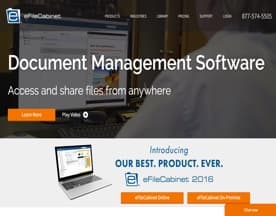
A DMS that sits still while documents wait for human routing is only half a system. Look for tools that let you build approval chains, trigger notifications, and route documents automatically based on type, department, or status. eFileCabinet includes workflow automation features that let teams reduce the manual hand-offs that slow down document-heavy processes. Automation matters most for functions like contracts, HR records, and compliance documentation where the routing pattern is predictable.
Security and compliance controls
Access permissions should be granular enough to reflect how your organization actually works. Role-based access, two-factor authentication, and encryption at rest and in transit are the floor, not the ceiling. If you operate in a regulated industry, ask specifically how the platform handles retention policies, legal holds, and audit log exports. These are not edge cases for you; they are core requirements.
Integration with the rest of your stack
A DMS that sits in isolation creates its own problem: people stop using it because it is not where their work happens. The strongest setups connect document management with the tools teams already use, whether that is an email platform, an HR system, a project management tool, or an e-signature service. DynaFile is built specifically around HR document management and integrates with common payroll and HRIS platforms, which illustrates how a more focused integration approach can outperform a general-purpose one in the right context.
Scalability and hosting model
Cloud-hosted systems offer easier setup, automatic updates, and lower upfront costs. On-premise deployments give organizations tighter control over where data lives, which matters in certain regulatory environments or where data sovereignty is a concern. Some vendors offer both. Think about where you are likely to be in five years, not just where you are now. A system that fits perfectly today but cannot grow with you will need replacing at the worst possible time.





A Practical Approach to Shortlisting
Start with a requirements document rather than a vendor shortlist. Write down the document types you manage, the workflows they follow, the compliance obligations you carry, the integrations you need, and the non-technical users who will need to adopt the system. That document becomes your scorecard when you talk to vendors.
Then shortlist two or three platforms, run a structured pilot with real documents and real users, and review the results against the scorecard rather than against first impressions. Pay attention to what breaks, what users complain about, and where workarounds appear. Those signals will tell you more than any feature comparison chart.
The right system is the one your team will actually use consistently. Capability matters, but usability and fit determine whether the investment holds over time.


