


Most businesses assume their expense process is fine until someone does the math. Receipts pile up in inboxes, spreadsheets get emailed around, and finance teams spend days every month reconciling figures that should take hours. The hidden cost is not just time. It is the policy violations nobody notices, the duplicate claims that slip through, and the reimbursements delayed long enough to quietly annoy your best people.
Expenses management software exists to close those gaps. But "expenses software" covers a wide range of tools, from basic receipt capture to fully integrated platforms that connect corporate cards, approval workflows, and accounting systems in a single interface. Knowing what you actually need before you start evaluating products will save you from buying a polished solution to the wrong problem.
The Real Problem Is Rarely the Receipt
Teams often frame their expenses pain as a receipt problem. Employees lose receipts. Receipts are illegible. Receipts arrive two months late. So they go looking for receipt capture software and stop there.
Receipt capture matters, but it is a symptom-level fix. The underlying problems are usually structural. Approval workflows are informal, so claims with no business justification get rubber-stamped. Policy rules exist in a PDF nobody reads. Reimbursement cycles are long because the data has to be rekeyed into a separate accounting system. Fixing the receipt problem without touching these layers leaves most of the cost on the table.
Good expenses management software addresses all of these at once. Receipt capture is just the entry point. The value compounds when the tool enforces policy at submission, routes claims to the right approver automatically, and posts approved expenses directly to your accounting system without manual intervention.
What to Look for in the Software Itself
Capture That Matches How Your Team Works
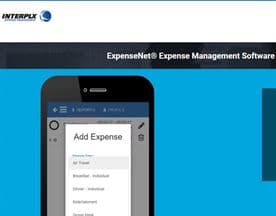
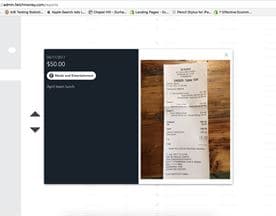
Your team is not going to change their behavior to suit a new tool. They need to submit receipts from wherever they are, in whatever format makes sense in the moment. That means mobile apps with OCR (optical character recognition, the technology that reads text from a photo), email forwarding, and ideally integration with corporate card feeds so transactions appear automatically without any employee action.
Expensify has built its reputation partly on making the submission step genuinely low-friction for employees. Dext focuses heavily on the capture-to-accounting pipeline, which makes it popular with bookkeepers and accountants managing expenses on behalf of clients.
The capture method matters less than the coverage. Before you evaluate any tool, audit how your employees currently submit expenses, what device they use most, and where receipts typically originate. Then match the tool's input options to those realities.
Policy Enforcement at the Point of Submission
The most expensive time to catch a policy violation is after it has been approved and reimbursed. The cheapest time is the moment an employee submits the claim. Software that embeds your policy rules into the submission form, blocking out-of-policy amounts, flagging missing business justifications, and requiring receipts above a defined threshold, eliminates a whole class of error before it reaches the approver's queue.
This is also where the complexity differences between vendors become real. A lightweight tool might let you set a simple per-diem limit. A more sophisticated platform lets you build rules by employee level, expense category, country, and project code. Certify and DATABASICS are both known for deeper policy configuration, which matters when your organization has multiple cost centers, international travel, or complex reimbursement rules.
Approval Workflow That Reflects How Decisions Actually Get Made
Most organizations do not have a single approval hierarchy. A regional sales manager might approve travel for their team while the finance director approves anything above a certain amount, and project managers approve anything coded to a specific client. If the software cannot model that, you end up with a tool your approvers work around rather than through.
Look for configurable multi-level approval routing, the ability to delegate approvals when someone is out of office, and clear audit trails showing who approved what and when. The audit trail is not just a compliance nicety. It is your defense when a claim is disputed and your mechanism for spotting patterns, like a single approver who never rejects anything.
Integration With Your Accounting System
This is where many buyers get caught off-guard. The software demo looks seamless, but the actual integration with your accounting system requires a custom connector, a third-party middleware subscription, or a manual export and import step that somebody owns every month.
Ask the vendor specifically how data moves from approved expenses into your accounting system. What format does it export? Is the integration real-time or batched? Who maps the expense categories to your chart of accounts? What happens to expenses coded incorrectly? These are operational questions, not technical ones, and the answers will tell you more about the real cost of the software than the headline price.
Matching Complexity to Your Situation
Not every business needs an enterprise-grade expense platform. If you have a small team with straightforward travel and entertainment spend, a lightweight tool with good mobile capture and basic approvals may be everything you need.
If your business issues corporate cards alongside cash expense claims, look at platforms that unify both. Divvy combines spend management with corporate cards, which collapses the gap between what was spent on a card and what gets reported through the expense system.
If your team is heavily distributed or works across time zones, the mobile experience becomes critical. Receipt-AI takes an SMS-based approach to submission that removes the need to open an app at all, which suits field teams who are not in front of a screen when expenses happen.
Complexity cuts both ways. A feature-rich platform that takes months to configure and requires ongoing administration is not better than a simpler tool that gets adopted immediately and used consistently. Adoption rate is the metric that actually drives your return on this investment.








Before You Start Evaluating Products
Two things will make your evaluation more productive. First, map your current process before you talk to any vendor. Know how many expense reports you process each month, your average cycle time from submission to reimbursement, your most common policy violations, and which integrations your accounting system supports. With that picture clear, vendor conversations become specific rather than general.
Second, involve the people who will actually submit expenses in any pilot. The finance team will evaluate the backend. The employees will evaluate whether they use it at all. Both signals matter, and the one that kills most expense software rollouts is employees reverting to email and spreadsheets because the submission step felt like more work than it was worth.
Get the submission experience right, enforce policy without making it punishing, and connect the output directly to your accounting system. Those three things are what separates an expenses tool that saves money from one that just moves the paperwork around.


