


Most organizations don't have a risk problem. They have a visibility problem. The risks are there, sitting in spreadsheets, buried in audit notes, scattered across department heads who each have their own version of what "serious" looks like. What they're missing isn't awareness that risk exists, it's a consistent, reliable way to see it all in one place and do something about it. That's the real job of risk management software, and it's worth understanding clearly before you spend a dollar on any solution.
What This Software Actually Does
Risk management software gives organizations a structured way to identify, assess, track, and respond to risks across their operations. At the core, that means a risk register (a central record of identified risks, their likelihood, potential impact, and assigned owners), workflow tools for escalating and resolving issues, and reporting that gives leadership a real-time picture of exposure.
Beyond that core, the category expands quickly. Some platforms focus on enterprise governance, compliance, and audit management. Others specialize in operational risk, IT and cybersecurity risk, supply chain risk, or safety and incident management. A few go broad and try to cover all of it. This variation matters a lot when you're evaluating options, because a platform built for financial services compliance will feel like the wrong tool if what you actually need is safety incident tracking for a logistics operation.
The Difference Between Risk Registers and Full GRC Platforms
You will hear the acronym GRC (Governance, Risk, and Compliance) often in this space. GRC platforms are the broader category, covering not just risk tracking but also policy management, regulatory compliance, audit workflows, and sometimes vendor or third-party risk. A risk register tool is narrower and simpler: it helps you log and monitor risks, assign ownership, and report upward.
Knowing which one you need before you start demoing tools will save you weeks of confusion. Small to mid-sized organizations often start with a register-focused tool and grow into GRC capabilities later. Larger enterprises with active regulatory obligations frequently need the full GRC stack from the start.
The Questions That Shape Your Decision
Before comparing feature lists, answer these questions internally. The answers will eliminate a significant portion of the market before you've watched a single demo.
What types of risk are you primarily managing? Operational, financial, IT and cyber, safety, compliance, reputational, or project risk all pull toward different tool strengths. Qualys, for instance, is built around IT infrastructure and vulnerability risk, which makes it a natural fit for security and IT teams but less relevant if your primary concern is operational or enterprise-wide governance risk.
Who owns the risk process day to day? If risk management is led by a dedicated team with governance and compliance expertise, you can evaluate more sophisticated platforms. If responsibility is distributed across departments with varying levels of risk literacy, ease of use and guided workflows become more important.
What does your reporting requirement look like? Board-level reporting has different demands than a department manager's weekly review. Some platforms are built with executive dashboards and audit trails as first-class features. Others treat reporting as an afterthought.
What does integration look like? Risk doesn't live in isolation. You will want your risk platform to connect with whatever you're using for IT monitoring, HR, project management, or compliance tracking. Understand which integrations are native and which require custom work before you commit.
Matching Platform Type to Organizational Need
For Enterprise Governance and Compliance
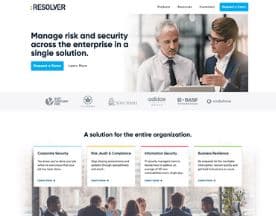
Organizations with complex regulatory environments, active audit programs, and board-level risk oversight need platforms that handle the full governance stack. Resolver and Hyperproof both operate at this level, with structured frameworks for compliance evidence, control mapping, and audit management. These platforms reward investment in setup and configuration. They are not tools you plug in on a Monday and expect to be running by Friday.
For Operational and Enterprise-Wide Risk
Teams that need a broad, flexible risk register with solid workflow and reporting capabilities tend to do well with platforms designed around that core use case. Protecht and Symbiant sit comfortably here, offering structured risk registers, incident management, and reporting without requiring the organizational investment of a full GRC implementation.
For Safety and Incident-Focused Risk
Organizations in sectors where physical safety, driver behavior, or on-site incidents carry significant risk weight need tools with strong incident capture and real-time alerting. Crises Control focuses on business continuity and crisis communication, which makes it relevant for operational teams who need to respond quickly when something goes wrong, not just track that it did.
For Smaller Teams With Lighter Needs
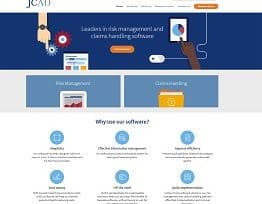
Not every organization needs enterprise-grade infrastructure. JCAD is designed with accessibility in mind, offering risk register functionality without the complexity ceiling of larger platforms. If your risk process is relatively straightforward and you're looking to formalize it without a six-month implementation, starting here is sensible.
What to Watch Out for in Demos
Vendors will show you the best version of their product. Your job is to stress-test that version with your actual workflows. A few things to push on specifically:
- Configuration vs. customization. There's a real difference. Configuration means adjusting what the platform already supports. Customization means paying developers to build something new. Ask where the line is.
- How risks are linked to controls. A risk register that doesn't connect identified risks to the controls meant to mitigate them is a list, not a management tool.
- Workflow automation depth. Can the platform escalate a risk automatically based on severity, or does someone have to do that manually? Automation matters at scale.
- Audit trail completeness. For regulatory environments, knowing who changed what and when is not optional.



Implementation Is Where Most Projects Slip
Buying risk management software is the easy part. Getting your organization to populate it accurately, consistently, and in a way that reflects real risk rather than performed compliance is much harder. The platforms that succeed tend to be the ones that make data entry low-friction for the people doing it, not just the people reading the dashboards.
Build your implementation plan before you sign. Define who owns each risk category, what the escalation thresholds are, and how often the register will be reviewed. The software enforces the process. You have to design the process first.
The right tool won't make your organization risk-aware overnight. But a well-matched platform, set up with clear ownership and realistic review cycles, will give you something that no spreadsheet ever could: a single, trusted picture of what you're actually exposed to and where action is overdue.


